Solflare Mobile vs. Web: Which One Should You Use?
7 min readHere's how to use both Solflare mobile and web app for the best Solana wallet experience.
Solflare gives you complete control over your digital assets, whether you’re managing your portfolio strategy from your desktop or trading some meme coins on the go.
Both the mobile and web versions of Solflare offer the same core promise: self-custody, security, and simple access to the Solana ecosystem.
In this guide, we’ll break down the strengths of each platform, help you decide which fits your routine better, and show you how to use both together for the ultimate Solana experience.
Solflare Mobile App: Your Wallet On the Go
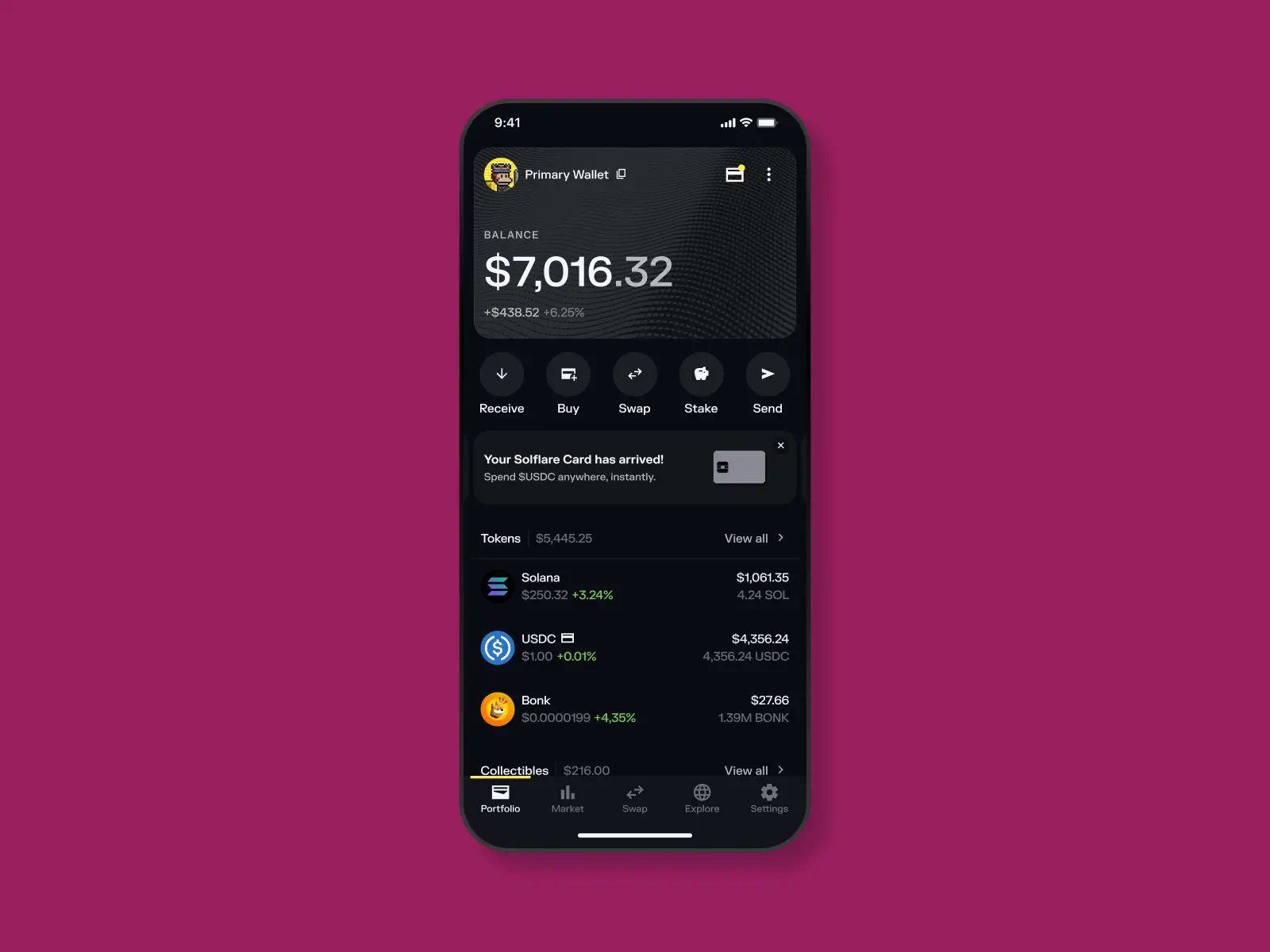
The Solflare mobile app brings the full power of Solana to your pocket. It’s designed for speed, simplicity, and everyday use — swapping tokens, staking SOL, managing your portfolio, or tracking expenses you make with your Solflare Card.
Key Features
Use the mobile app whenever you’re on the move or want quick access to your assets. Here are the key features:
- Portfolio overview — Instantly check your token balances, staked assets, and NFTs.
- Market — Send, receive, swap, and view detailed token information in real time.
- Staking — Stake or unstake SOL, track your validator performance, and claim rewards in just a few taps.
- Collectibles — Browse, send, and showcase your Solana NFTs.
- Explore (light version) — Connect directly to dApps from within the app, including popular platforms like Jupiter, Magic Eden, and Pump.fun.
- Solflare Card management (coming soon) — View balances, transactions, and manage your card on the go.
- Security-first design — Self-custody wallet secured with biometric login and in-app recovery options.
Advantages of the Solflare Mobile App
- Portable and instant: Manage your portfolio, swap, send and receive tokens, or pay with crypto anywhere, instantly.
- Tracking payments: Spend USDC with your Solflare Card and track your expenses on the go.
Self-custody by default: Your keys never leave your device. - Simple staking: One-tap staking and reward tracking.
- Notifications: Stay updated on transfers, transactions, and staking rewards in real time.
- Built for accessibility: A sleek, intuitive interface that makes it simple for both new and experienced users.
Best For
- Everyday users and Solana holders who want convenience and mobility.
- Solflare Card holders using crypto in the real world.
- Travelers and digital nomads who manage crypto on the go.
- Beginners who prefer simplicity over complexity.
The Solflare wallet mobile app brings you the convenience of having access to your holdings anytime and anywhere, completely securely.
Solflare Web: Your Command Center
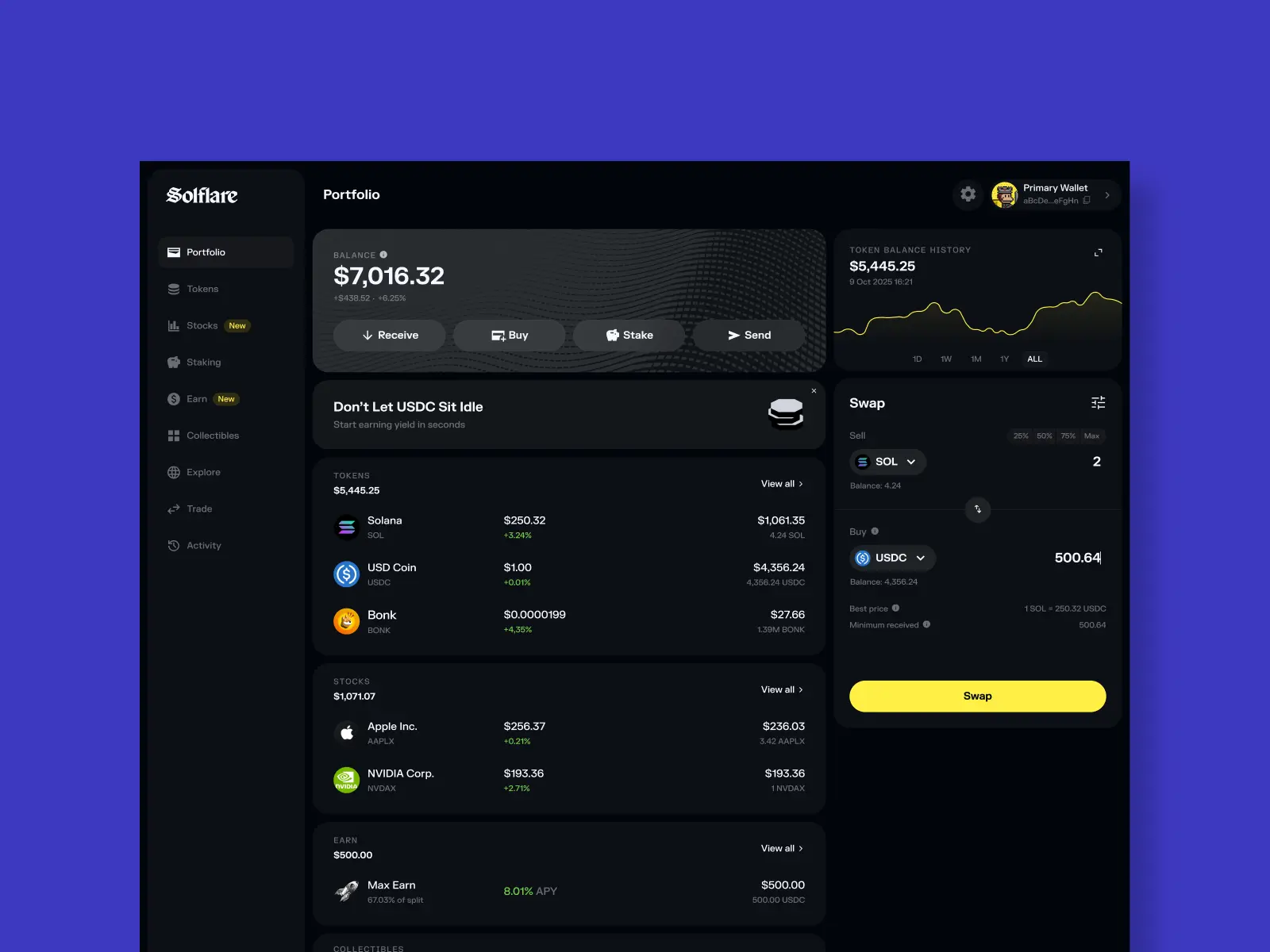
The Solflare Web App is your all-in-one platform for managing, earning, and trading on Solana. It’s designed for power users who want visibility, a few more advanced features, and complete control from a bigger screen.
Key Features
Aside from all the features you can find in the mobile app, the web version offers a few more extras like:
- Earn — Put your USDC to work with competitive yield options. Choose between Max Earn (higher returns) or Insured Earn (protected yield), all visualized with real-time APY projections.
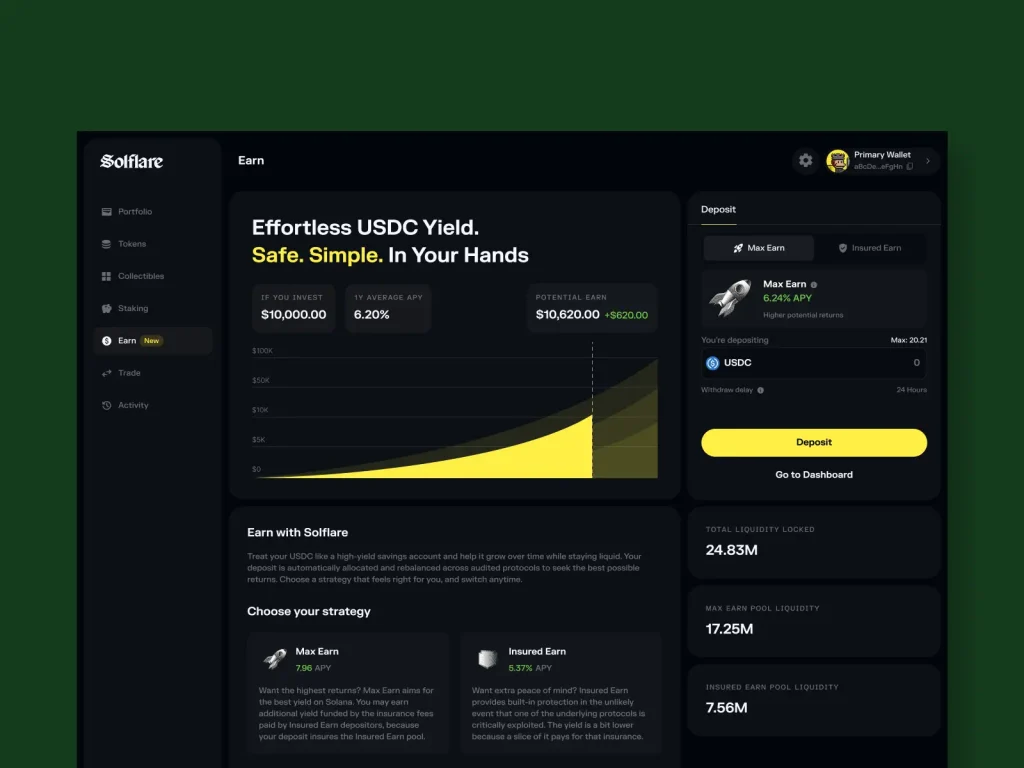
- Explore (expanded) — Discover the Solana ecosystem directly inside your wallet.
- Featured dApps by category: Earn, Ecosystem, Memes, Games, NFTs, DePIN, Tools, Trade
- Latest ecosystem news and dApp launches
- Quick links to trending platforms like Jupiter, Pump.fun, Magic Eden, Tensor, and Drift
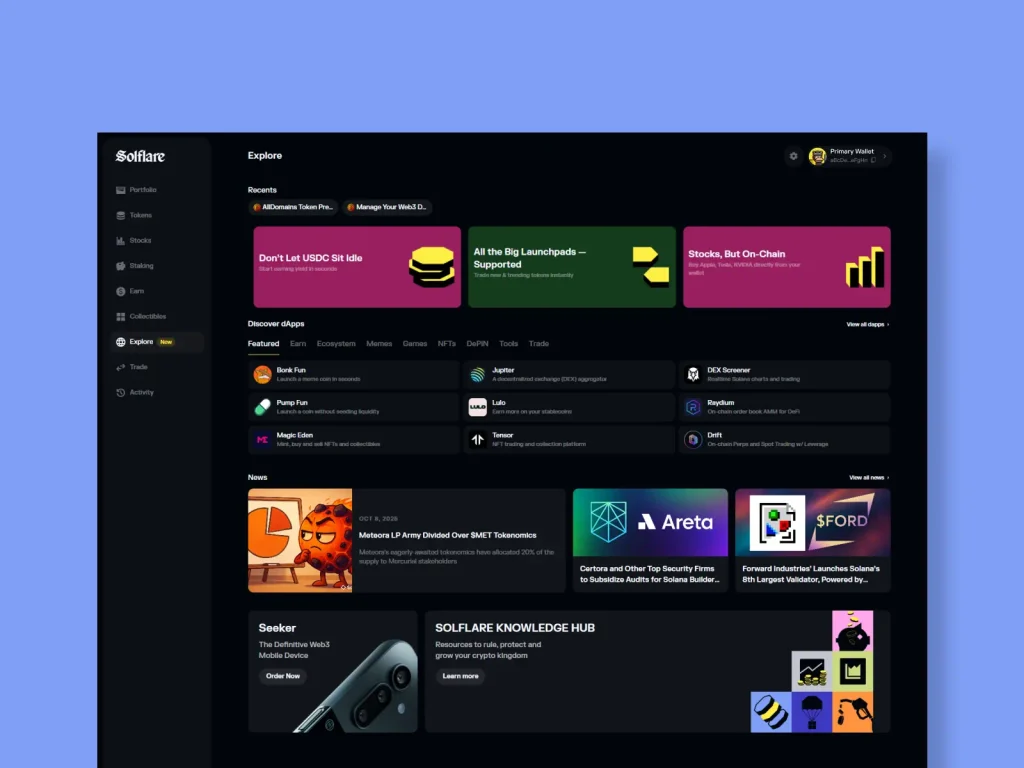
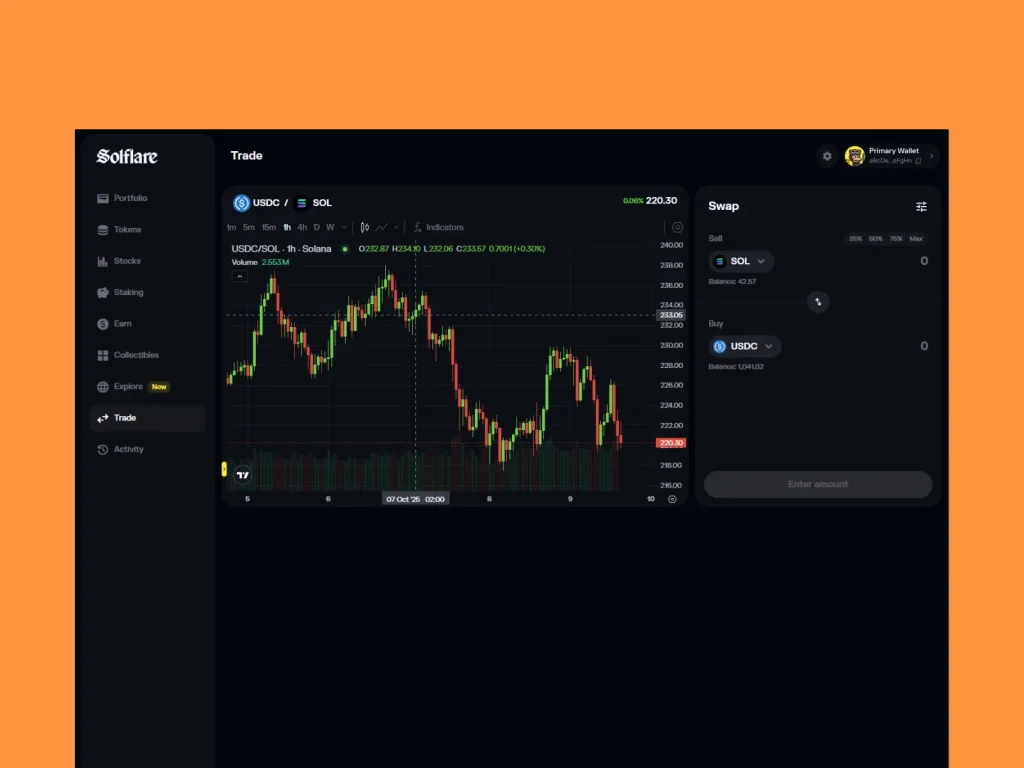


The Solfare web extension is perfect for focused sessions where you want a good overview and control.
Advantages of Solflare Web
- Full feature set: Access everything Solflare offers — including Earn, Trade, and Explore (except the Market feature from the mobile app).
- Bigger screen, better insight: Manage complex portfolios more comfortably.
- Better ecosystem overview: Explore trending Solana apps, latest news, and opportunities through the “Explore” hub.
Best For
Solflare web extension is great for anyone who prefers to do their finances on the desktop or simply wants to have the option. It can be especially useful for:
- Power users and traders managing a bigger portfolio with a lot of different assets.
- Yield seekers and long-term Solana investors.
- DeFi explorers discovering new Solana apps and tools.
- Investors who prefer a big-screen interface for tracking and planning.
Pro Tip: Combine the mobile app with Solflare Web for the perfect combo — mobile for daily use, web for deeper management.
Shared Strengths: Security, Self-Custody, and Simplicity
No matter where you use Solflare, on your phone or your desktop, the fundamentals never change. Both versions are built on the same foundation: self-custody, security, and simplicity.
True Self-Custody
Solflare never holds your keys — you do. Whether you’re staking SOL on Web or paying with USDC on Mobile, your assets stay under your custody until you decide to move them.
- Same seed phrase for both versions.
- Seamless syncing — one wallet, two devices, total ownership.
- No custodial accounts, no hidden intermediaries.
High-Level Security
Security is baked into every interaction:
- Biometric authentication on mobile for instant, secure access.
- Transaction previews and confirmations before signing on both Web and Mobile.
- Hardware wallet support (Ledger, Keystone, etc.) for an added layer of protection.
- Instant card freeze/unfreeze and real-time notifications for Solflare Card users.
You get peace of mind with crypto security that feels invisible but works 24/7.
Learn more: How Solflare Protects Your Assets
Unified Experience
Switching between Mobile and Web is seamless. Everything, including your balances, history, staking data, and NFTs, stays synced and consistent.
Same clean interface and navigation, same fast transactions, same intuitive design that keeps things simple..
Tip: Use Solflare Mobile for speed and convenience, and Solflare Web for strategy and visibility — but rely on both for the same self-custody and security.
Final Thoughts
Whether you’re staking from your laptop or paying for coffee with your phone, Solflare gives you the same self-custodial power across every device.
- Solflare Mobile is your everyday wallet — fast, intuitive, and built for real-world use.
- Solflare Web is your strategic hub — a full-featured control panel for trading, staking, earning, and exploring the Solana ecosystem.
You don’t have to choose between them. Together, they create a complete experience: two gateways to the same wallet, fully synced and owned by you.
The Most Powerful Wallet on Solana
Buy, trade and stake crypto and explore everything Solana has to offer.