How to Explore Solana using Solflare’s Explore feature
9 min readThe Explore tab in Solflare is a discovery hub that helps you navigate the Solana ecosystem easily without leaving your wallet.
It is easy to get overwhelmed trying to keep up with everything happening in Web3. You might hear about a new DeFi app on X, see a promotion in Discord, or read about a token somewhere online, but acting on that information, making sure it is safe and connecting your wallet might feel confusing.
That’s exactly why Solflare includes the Explore feature.
What Is the Explore Feature in Solflare?
Explore is a built-in hub inside the Solflare wallet that helps you discover what’s happening across the Solana ecosystem.
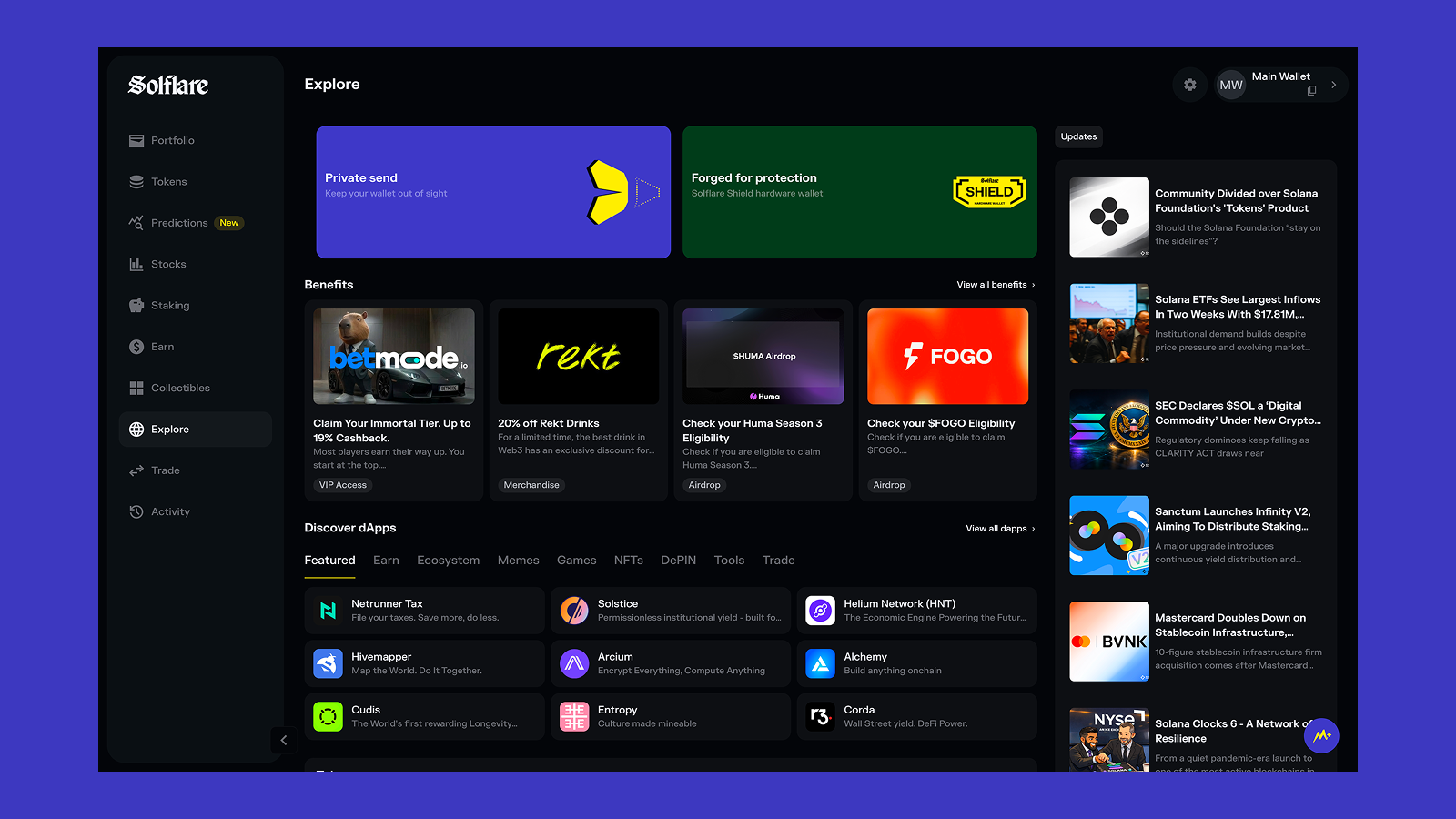
It brings together everything you might want to check in one place, including:
- Promotions and campaigns from Solflare and ecosystem partners
- Benefits and rewards you might be eligible for
- Popular Solana dApps organized by category
- Trending tokens and market activity
- News and updates from across the ecosystem
- A curated social feed with posts from Solana builders and projects
- Quick access to guides and educational resources
Where to Find the Explore Tab in Solflare
You can access the Explore feature directly inside the Solflare wallet. It is available on both mobile and desktop.
To open Explore:
- Open your Solflare wallet
- Look for the Explore tab in the main navigation
- Tap or click it to open the Explore dashboard
Once inside, you’ll see a hub with multiple sections, including promotions, benefits, dApps, tokens, news, and social feed.
The layout may look slightly different depending on whether you’re using mobile or web. The main idea is the same, though: to give you an overview of the ecosystem and what you can do in it.
What can you explore?
The Explore tab is divided into several sections, each designed to help you discover something different — from rewards and apps to news and educational content.
Solflare promotions and campaigns
At the top of the Explore page, you’ll usually see featured promotions and campaigns from Solflare and ecosystem partners.
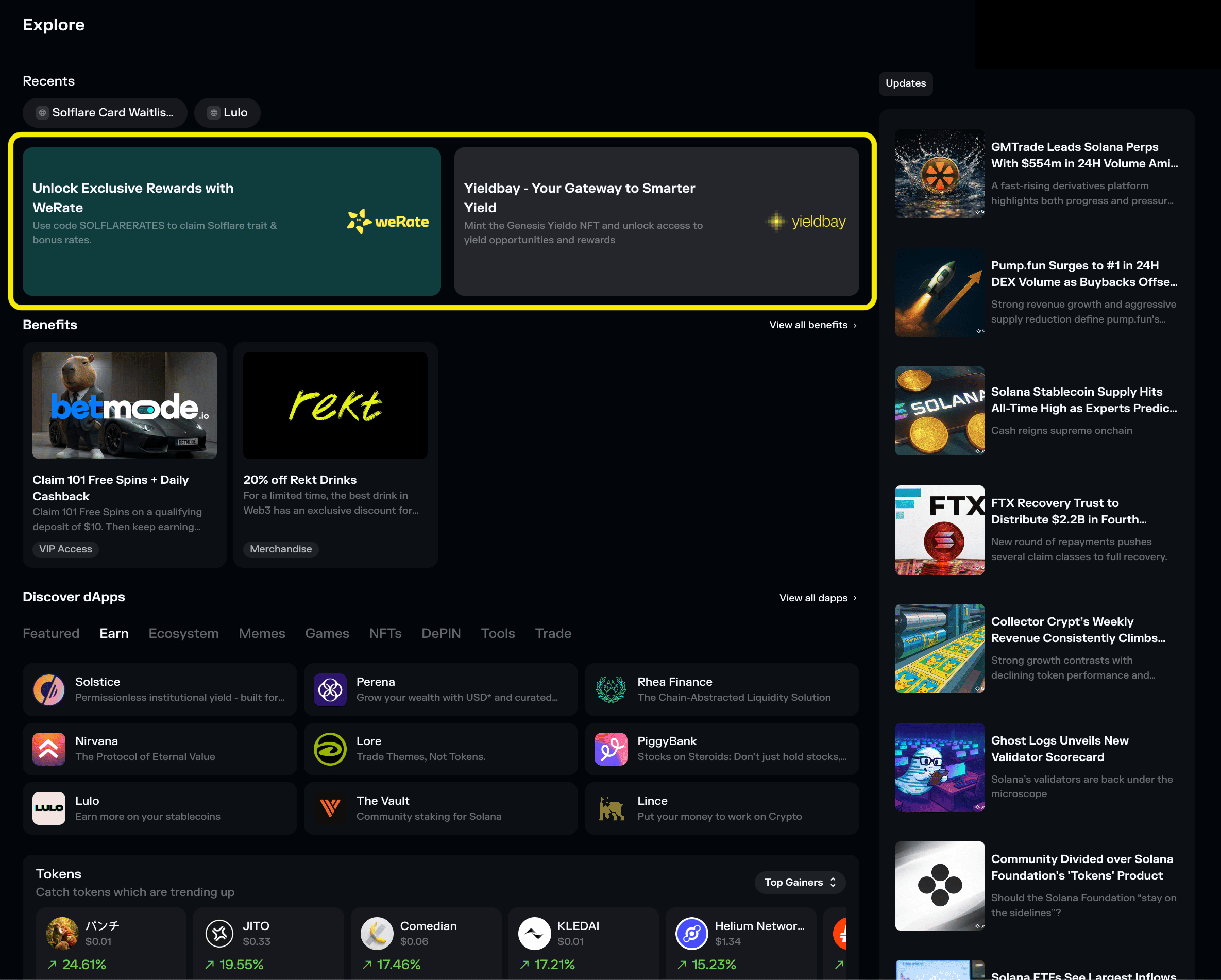
These can include:
- New features or updates within the Solflare wallet
- Reward programs
- Partner campaigns
- Special offers for Solflare users
These promotions change over time, so the Explore tab is often the easiest way to see what opportunities are available at the moment.
For example, you might see:
- Campaigns that give bonus rewards
- Partner offers with discounts or perks
- Announcements about new features
Because these campaigns appear directly inside Solflare, you don’t need to search for links on social media or external websites. You can open the promotion, see what it offers, and take advantage of it straight from your wallet.
Benefits
Below the promotions, you’ll find the Benefits section.
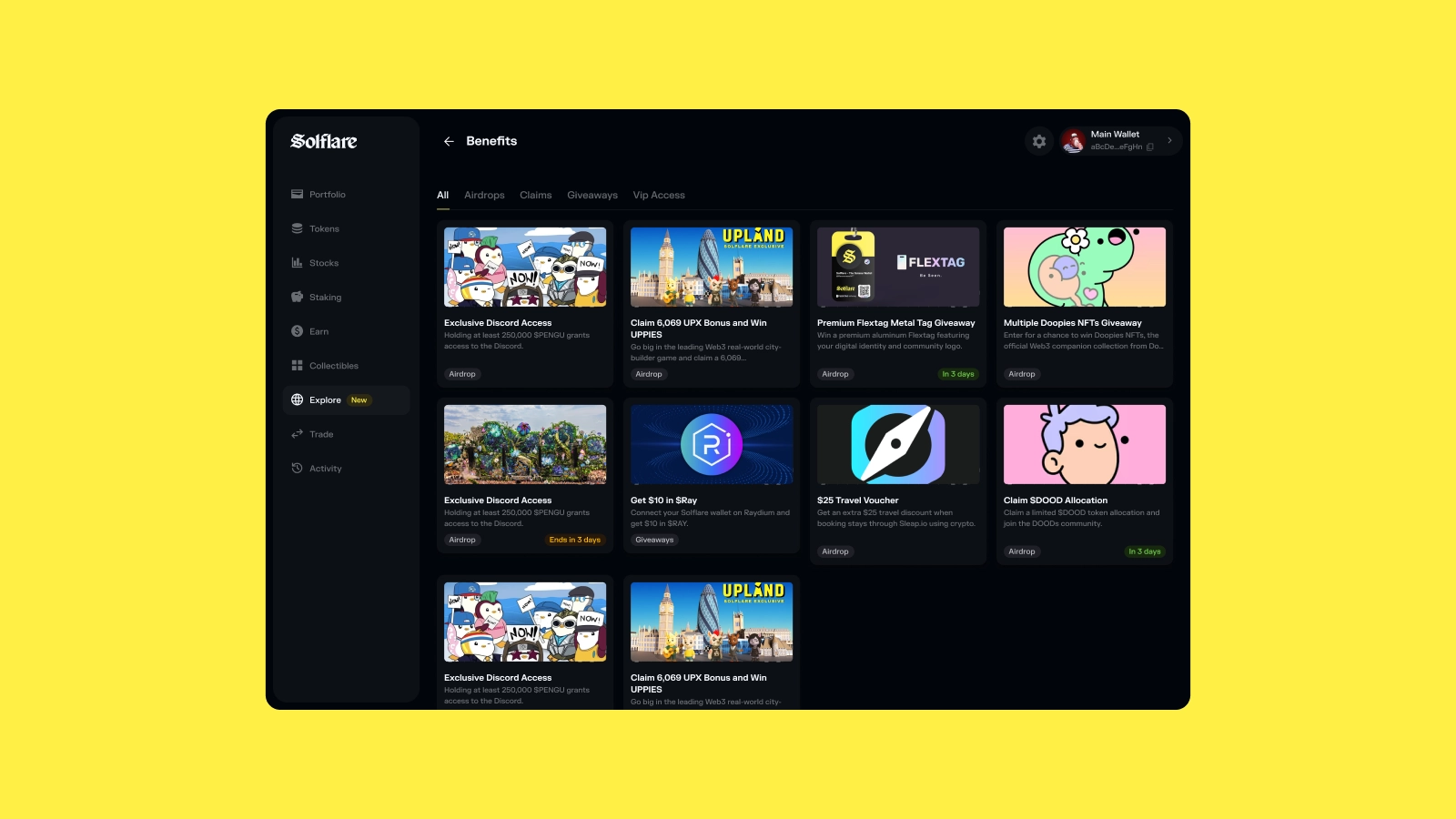
This shows perks, rewards, and opportunities you may be eligible for based on your wallet activity.
In the Solana ecosystem, holding certain tokens, NFTs, or using protocols can unlock things like airdrops, exclusive access, discounts, event invitations, or other rewards.
The problem is that these opportunities are often spread across different websites, social posts, and community channels, making them easy to miss.
Benefits brings them directly into your wallet.
These can include:
- airdrops
- whitelist spots or early access
- partner rewards
- event invitations
- digital or real-world perks
- discounts and special offers
Each benefit includes a short description, who is providing it, and a link to claim or participate. If you’re eligible, you can open the claim page directly from Solflare without needing to search for it manually.
Because Benefits is based on your on-chain activity, the list may be different for every user. As you use more apps, hold different assets, or participate in the ecosystem, new perks may appear.
Discover
One of the most useful parts of Explore is the Discover section.
This is where you can browse popular dApps built on Solana and connect to them directly from your wallet.
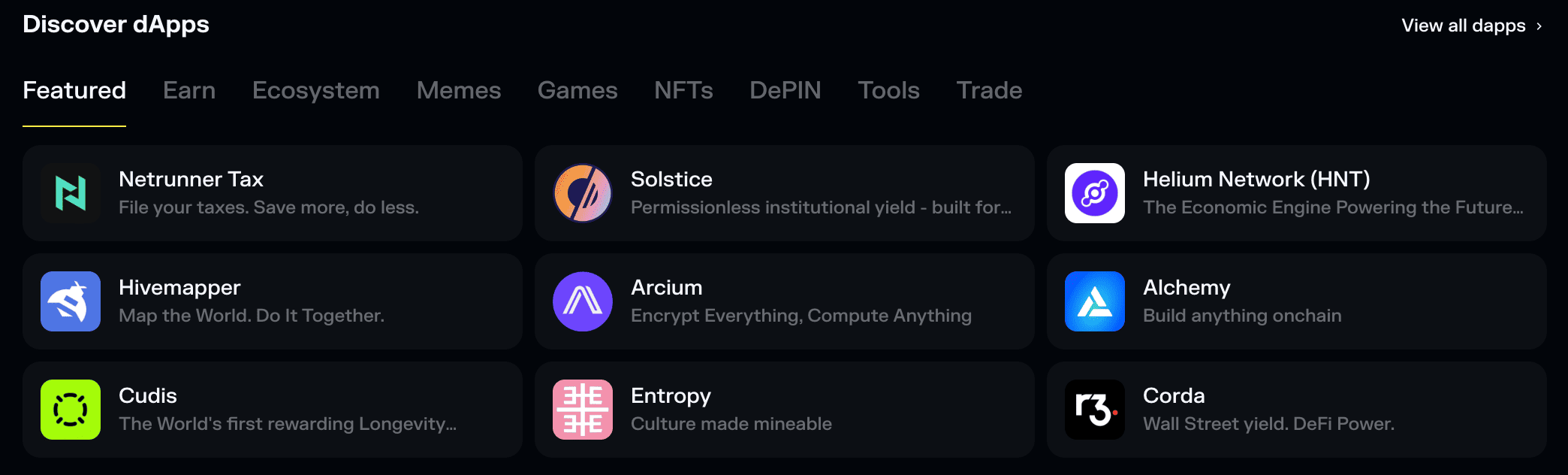
Instead of searching online for links, this section shows a list of apps organized by category, making it easier to find what you need. This helps reduce the risk of connecting to fake websites, which is a common problem in crypto.
You’ll see tabs such as:
- Featured
- Earn
- Ecosystem
- Memes
- Games
- NFTs
- DePIN
- Tools
- Trade
Each category highlights apps related to a specific type of activity on Solana.
For example:
- Earn – staking, lending, and yield platforms
- Trade – DEXs, aggregators, and trading tools
- NFTs – marketplaces and collectible platforms
- Games – blockchain games and gaming apps
- Memes – meme coins and community projects
- DePIN – decentralized infrastructure projects
- Tools – analytics, utilities, and developer tools
- Ecosystem – popular or important Solana projects
When you select an app, you can open it directly from Solflare and connect your wallet to use it right away.
Because the apps shown in Explore are curated, this makes it safer than randomly searching for dApps online, where fake links and phishing sites are common.
The Discover section offers an easy way to explore dApps on Solana without leaving the wallet.
Tokens
The Tokens section shows you tokens that are currently trending in the Solana ecosystem.

This section highlights tokens that are gaining attention, showing price and recent performance so you can quickly see what’s moving.
For every token, you will see:
- Token name and symbol
- Current price
- Percentage change
- Trending or top gainers
- Market activity
From here, you can quickly open the token, view more details, or swap it right away using Solflare’s built-in trading feature.
Updates (news)
On the side of the Explore tab (or below the Discover section on the mobile app), you’ll see a feed with the latest news and updates from the Solana ecosystem.
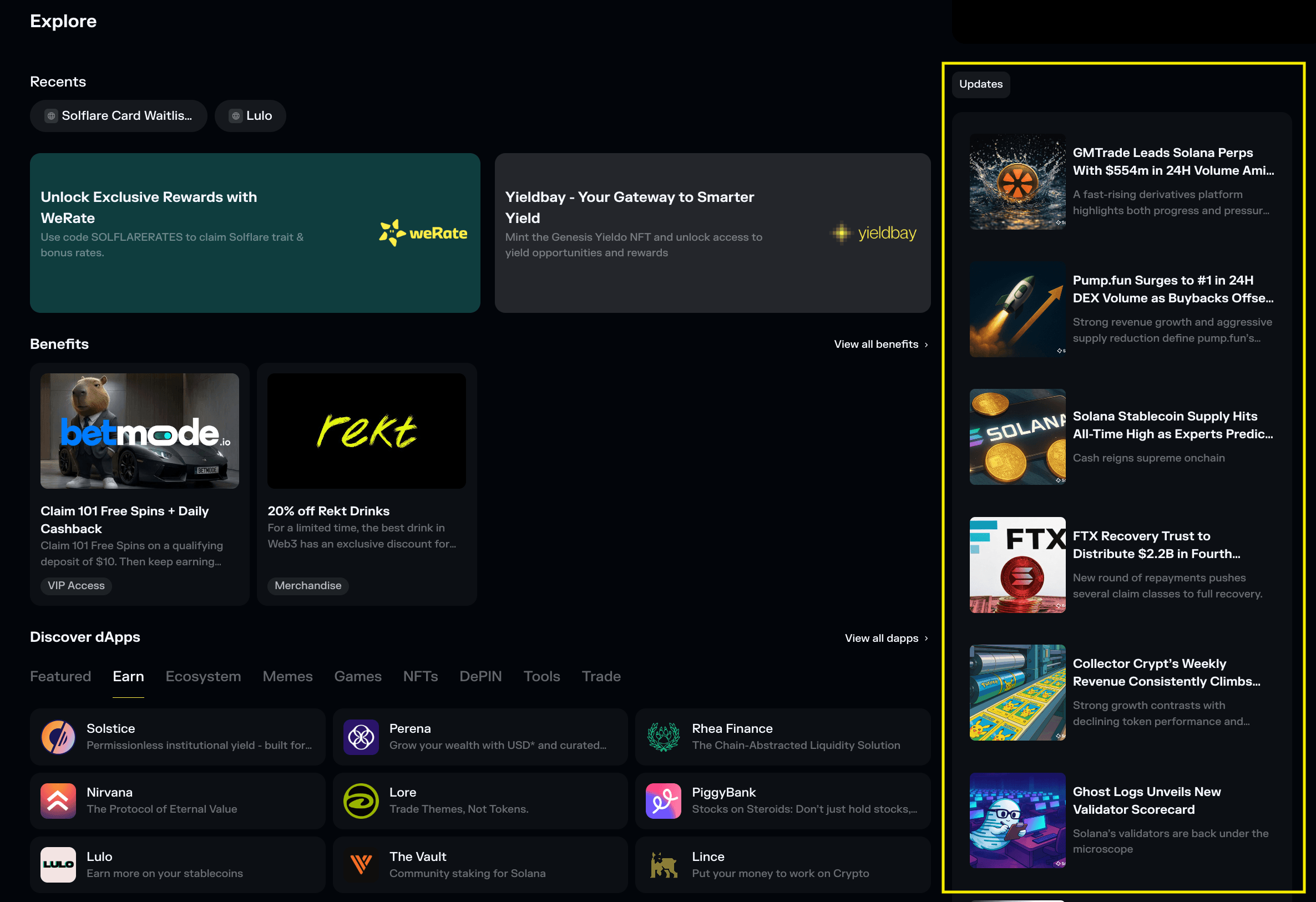
This section highlights the latest important updates from a trusted Solana ecosystem news source (SolanaFloor).
Here you will find things like:
- Solana and general crypto news
- Market news and trends
- Project launches and updates (DeFi protocols, trading platforms, etc.)
- Ecosystem announcements
- Regulation and data analyses
It makes it easier to stay informed about changes that might affect your next moves when it comes to staking, trading, using some protocols, or exploring new opportunities.
Social Feed
The Explore tab also includes the Social Feed, a curated stream of posts from across the Solana ecosystem that helps you see what the community is talking about right now.
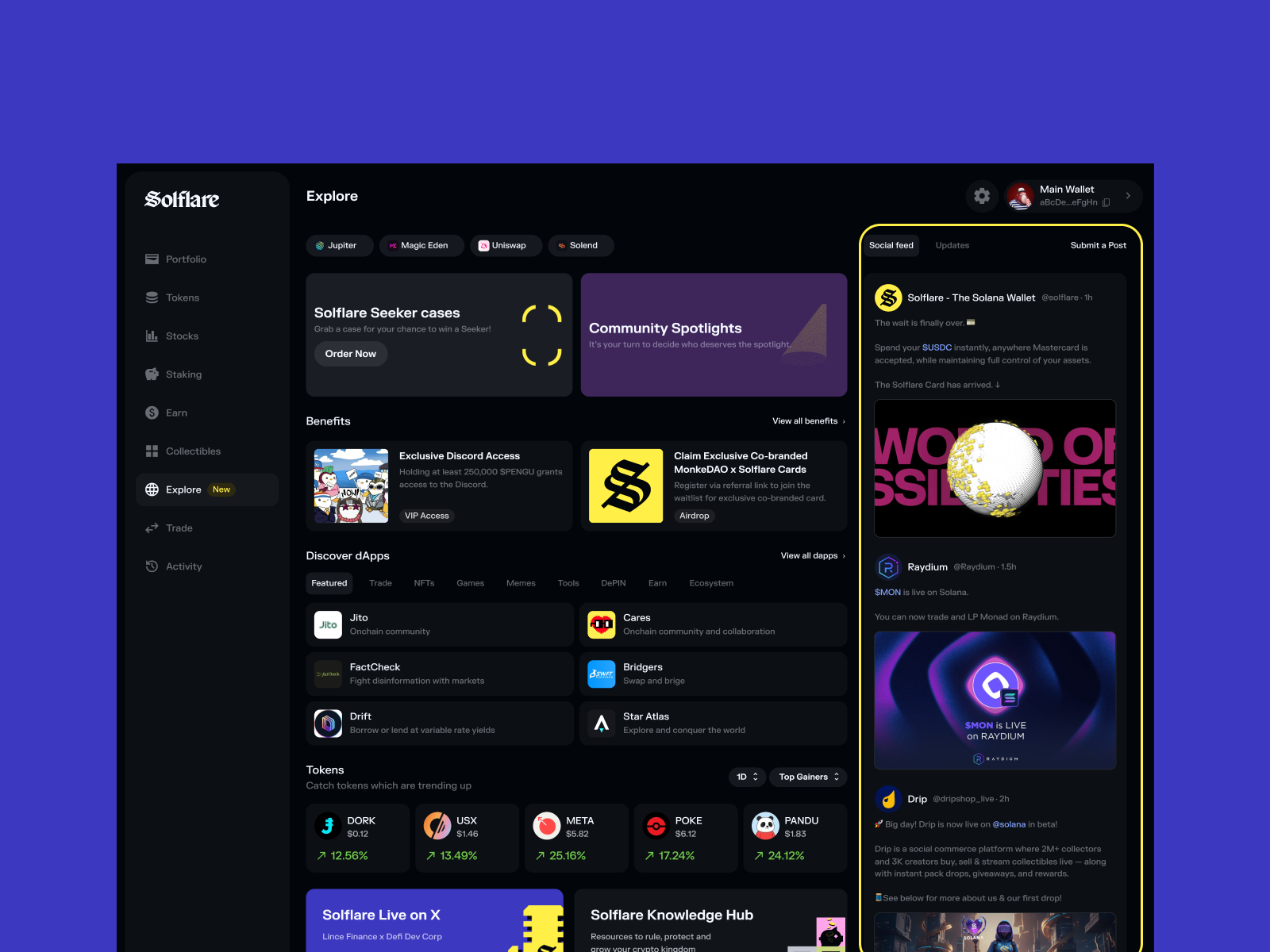
This feed pulls in relevant content from well-known Solana builders, projects, and community accounts, so you can see what people are talking about without leaving the wallet.
Content is reviewed and curated before it appears, so you see high-signal updates rather than a noisy timeline.
You may see posts about:
- new protocol launches
- ecosystem updates and announcements
- trending tokens or narratives
- community highlights
- important discussions happening in real time
In the main Explore view, you’ll see a preview of the latest posts. You can open the full Feed to browse more updates in chronological order, with images and videos displayed directly inside the app.
Because the Feed is built into Solflare, you can go from discovering something interesting to exploring it right away inside the app, like a new token or a dApp.
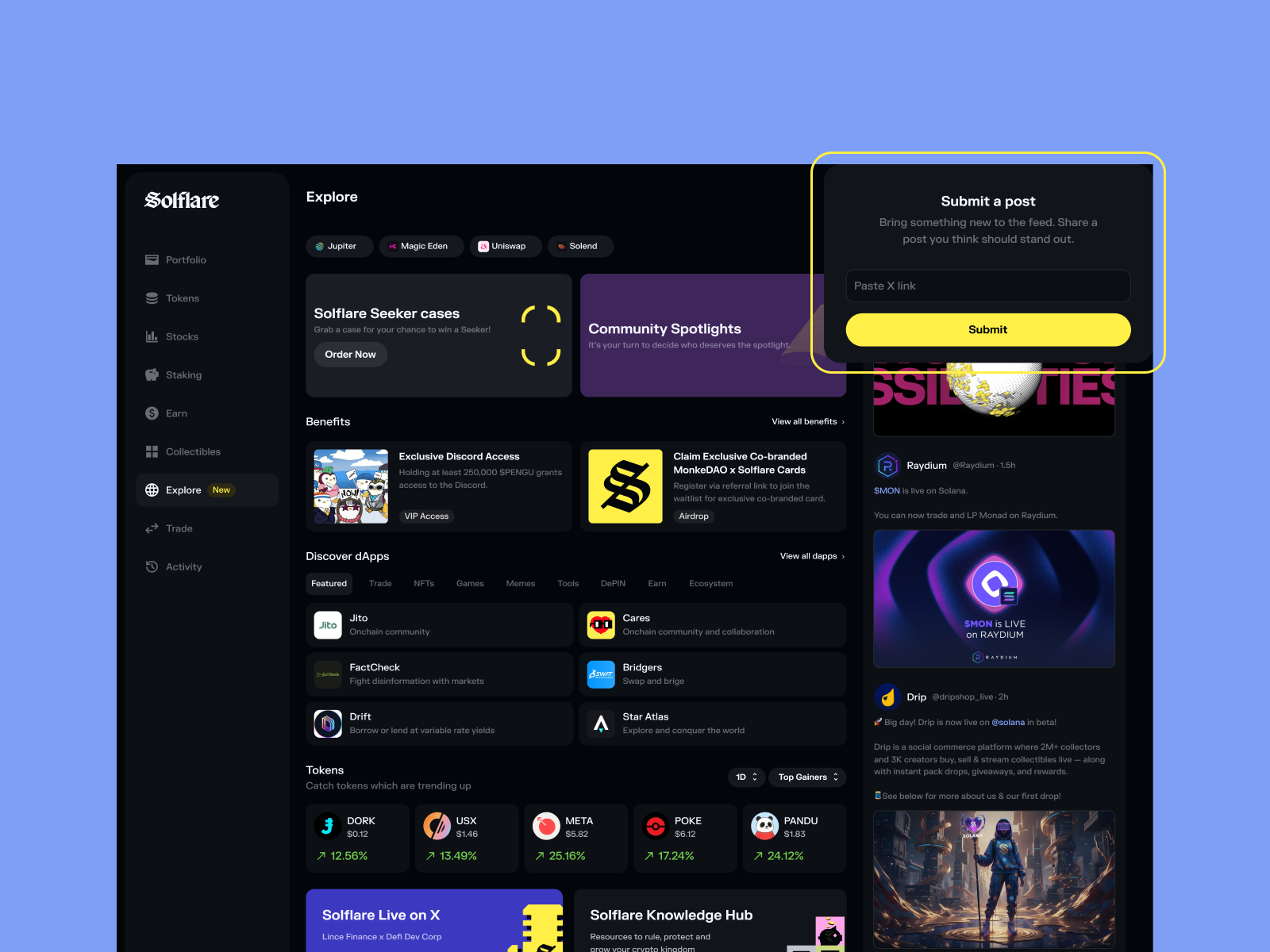
You can also suggest posts for the Feed. Submissions are reviewed by the Solflare team before being published, which helps keep the content relevant and useful for readers.
The goal of the Social Feed is simple: to give you a quick pulse on what’s happening in the ecosystem without leaving your wallet.
Learn (Knowledge hub)
Knowledge is power. This section gives you quick access to the Solflare resources hub.
There, you will find various guides, tutorials, and educational content that will help you better understand cryptocurrency, the Solana ecosystem, and the tools you use inside the wallet.
You’ll find content such as:
- Crypto basics and educational articles
- Wallet guides and feature tutorials
- Security tips
- Explanations of important concepts like staking, DeFi, and tokens
- Ecosystem guides for Solana apps and tools
Why Explore?
The Solana ecosystem is full of opportunities, but finding them isn’t always easy. New apps, rewards, updates, and community discussions happen every day, and keeping track of everything across different websites and platforms can quickly become overwhelming.
The Explore feature in Solflare is designed to solve that problem.
Instead of searching manually, you can open Explore and see what’s happening across the ecosystem in one place. You can discover new dApps, check rewards you may be eligible for, follow important updates, and learn how to use new features, all from within your wallet.
Also, because everything in Explore is curated and integrated with Solflare, it’s also a safer way to explore without needing to rely on random links or external sources.
No matter whether you’re a beginner or a real Solana degen, the Explore tab makes it easier to stay informed, discover new opportunities, and get more out of your wallet.